Cactus sustainability & security features explained
A meeting-room display does not need to do everything, everywhere, all at once. It just needs to make content clear, easy to share and simple to manage. That is exactly what i3CONNECT Cactus is born to do.
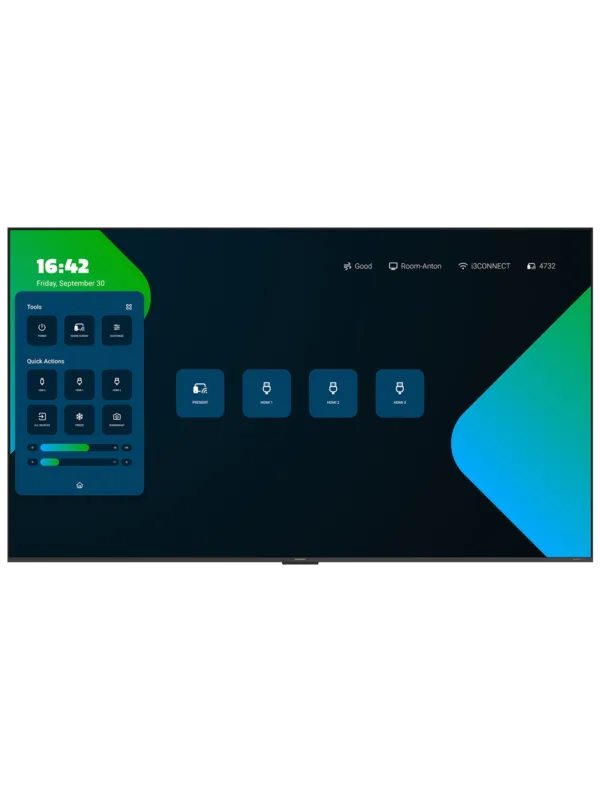
Cactus is our first non-touch display, built for a Bring Your Own Device setting. Your laptop/tablet/phone remains at the heart of the meeting, while Cactus gives you a clear view of the content you want to share - whether you connect with a cable or present wirelessly.
This focused purpose also shapes the way Cactus approaches sustainability and security. It avoids unnecessary energy use, does not retain meeting content by default and gives IT teams control over the display's software environment.

Smarter backlight, lower energy use
When part of an image is dark, there is no reason for the entire backlight to operate at the same intensity. Cactus uses local dimming to divide its QD-Mini LED backlight into independently controlled zones. Darker parts of the picture can use less backlight, while brighter areas remain clear and vivid.
The number of zones depends on the display size: 242 on the 65-inch model, 312 on the 75-inch model and 420 on the 85-inch model. Besides creating deeper blacks and stronger contrast, this helps Cactus avoid using energy where full illumination is not needed.
An ambient light sensor adds another layer of efficiency. It measures the lighting conditions in the room and adjusts the screen brightness automatically. Presentations stay clearly visible in bright spaces, while the display can reduce its output when less brightness is required. Users do not need to change a setting or remember to activate an energy-saving mode; it becomes part of everyday operation.
Lightweight by design
Cactus has no touch layer because it is built for presenting, not annotating. Combined with its slim housing, this keeps the construction light and avoids unnecessary bulk. The 65-, 75- and 85-inch models weigh approximately 17 kg, 23 kg and 32 kg respectively, making them easier to transport, handle and install.
It is a focused design choice: Cactus includes what a professional meeting-room display needs, without adding hardware for functions the room may never use.

Your content is only visiting
Think of Cactus as a window into your device, not a place to store its contents. By default, the display does not ask users for personal data or save shared presentation content locally.
With a wired connection, Cactus behaves like an external monitor. During wireless sharing with the Cactus, content travels across the organisation's network and is shown for the live session. It is not kept on the display afterwards.
The non-touch format also means there is no annotation workflow leaving marked-up documents or whiteboard notes behind. Once the presenter disconnects, their content is no longer shown and there is no meeting file waiting for the next group. Cactus handles the information it needs for the meeting - nothing more, nothing less.
Only the apps you approve
Cactus runs Android 14 based on the Android Open Source Project. It does not include Google services or the Google Play Store, so users are not presented with an open consumer app marketplace. Instead, the organisation decides which applications belong on the display.
Approved apps can be added deliberately, including through controlled APK deployment. This gives IT teams a more focused and predictable software environment. The absence of Google Play does not mean the device is left unsupported: Cactus, the i3CONNECT Studio interface and supported applications receive updates through the i3CONNECT software environment.

Centralised control for IT
Security is not only about what a display stores. It is also about who can change it and how consistently every device is maintained.
Through i3CONNECT Cortex, IT administrators can manage Cactus displays remotely and centrally control application installations. The interface and approved apps can be kept up to date without visiting each meeting room individually. This helps reduce configuration differences between rooms and makes it easier to keep the complete display estate consistent and supported.
Users still get the familiar i3CONNECT Studio experience, while IT remains in control of the environment behind it.

Focused by design
Cactus is not trying to turn every meeting room into a full interactive workspace. It addresses a simpler, everyday need: connect a device, share a screen and make content clearly visible.
Local dimming and automatic brightness adjustment reduce unnecessary power use. The lightweight, non-touch construction keeps the hardware lean. Shared content is not retained by default, while controlled apps and central management give IT teams greater oversight.
Less excess in the hardware, energy use, data footprint and software environment: that is the thinking behind Cactus.
-
-
i3CONNECT Cortex
Gain the power to manage, monitor, and control your fleet of i3CONNECT displays from any location at any given time.
Learn more

