
PRO DISPLAY, MADE INTUITIVE.
i3CONNECT Cactus
Meet our very first non-touch display: the i3CONNECT Cactus! Built on the same values as our renowned touchscreen portfolio, the Cactus offers stunning visuals, crisp audio and delivers the exact same experience our users have grown accustomed to.
-
QD-mini LED technology
Bring the cinema to your meeting room.
-
Local dimming
Darker blacks, lighter whites and less power consumption.
-
i3CONNECT Studio
The same easy-to-use experience as our other displays.
-
Remote management
Easily access all settings remotely through i3CONNECT Cortex.
-
Dolby Atmos certified
Clear 50W audio certified by the experts at Dolby.
-
Android 14
Supported Android keeps your device safe and secure.

Bring your sunglasses
Cactus boasts QD-Mini LED technology, providing the best visuals in the market. Think deeper blacks, vibrant colours and high brightness. Your presentation, video or graphic has never looked better or clearer.

None of the touch, all of the class
If you have ever worked with an i3CONNECT display, you will feel right at home with the Cactus. This is because of our in-house developed i3CONNECT Studio user experience. Simply walk up to the screen, use the remote control to select the option you need and you can kick off your meeting right away.

Energy-efficient performance
Cactus delivers a bright, clear picture while helping to reduce energy consumption throughout the working day. It automatically adapts its brightness to the lighting in the room, keeping presentations clearly visible without using more power than necessary. When darker content is shown, Cactus dims the relevant areas of the screen to save even more energy without compromising the viewing experience.
Convinced?
Book a demo, you won't regret it.

Sharing is caring
Your device is the heart of your meeting, and you choose how to connect it. If you would like to go the wireless way, Cactus comes with our AllSync solution, allowing you to share from any device, be it Windows, Android, Apple or Chrome.
Would you like to go the wired way instead? Pick any of the 4 HDMI ports or connect to the side USB-C port and you are good to go!

Nothing gets left behind
By default, Cactus does not request or store user data. Content shared with the display (wired or wireless) is shown only for the duration of the meeting and is not retained afterwards. With no annotations or files saved on the screen, sensitive information leaves when you do.
Includes all the software you need
All i3CONNECT software is developed in-house in our Benelux offices, ensuring a safe and easy to use experience that just works.
-
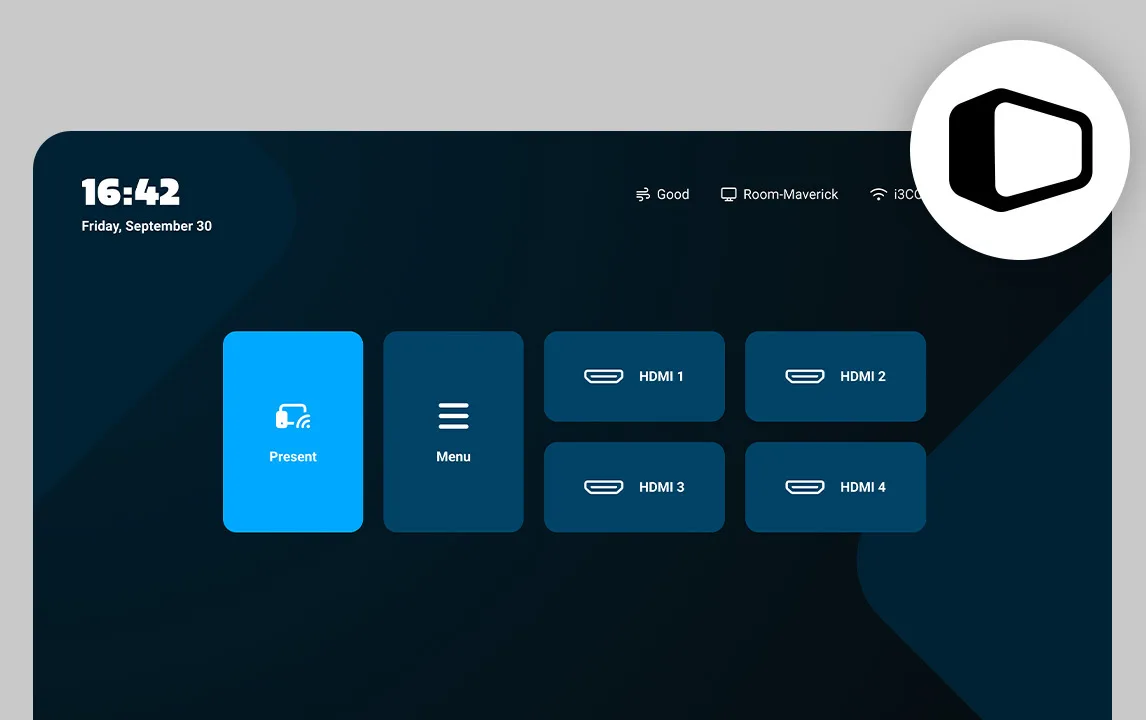
i3CONNECT Studio
A fully customisable interface that is extremely easy to use.
-

i3CONNECT Cortex
Our easy-to-use remote management tool saves the IT admin loads of time.
-

i3CONNECT AllSync
Easy wireless sharing, compatible with Android, Apple, Chrome and Windows devices.


Learn more about Cactus
Folder and datasheet
Complete your experience
Accessories might seem like extras, but they’re actually key to getting the most out of your display. From wall mounts to cameras — what you add can seriously level up the experience
-
i3CONNECT Lift 4
A secure touchscreen lift with a huge reach and a modular design, available as wall or mobile versions.
Learn more
-

-

-

-


